How it works
From the first call to the last guest, one place.
CaterOps follows an event the way your team runs it, whether it is in your own hall or across town. Here is the whole day, part by part.
Today
Start with what needs you first.
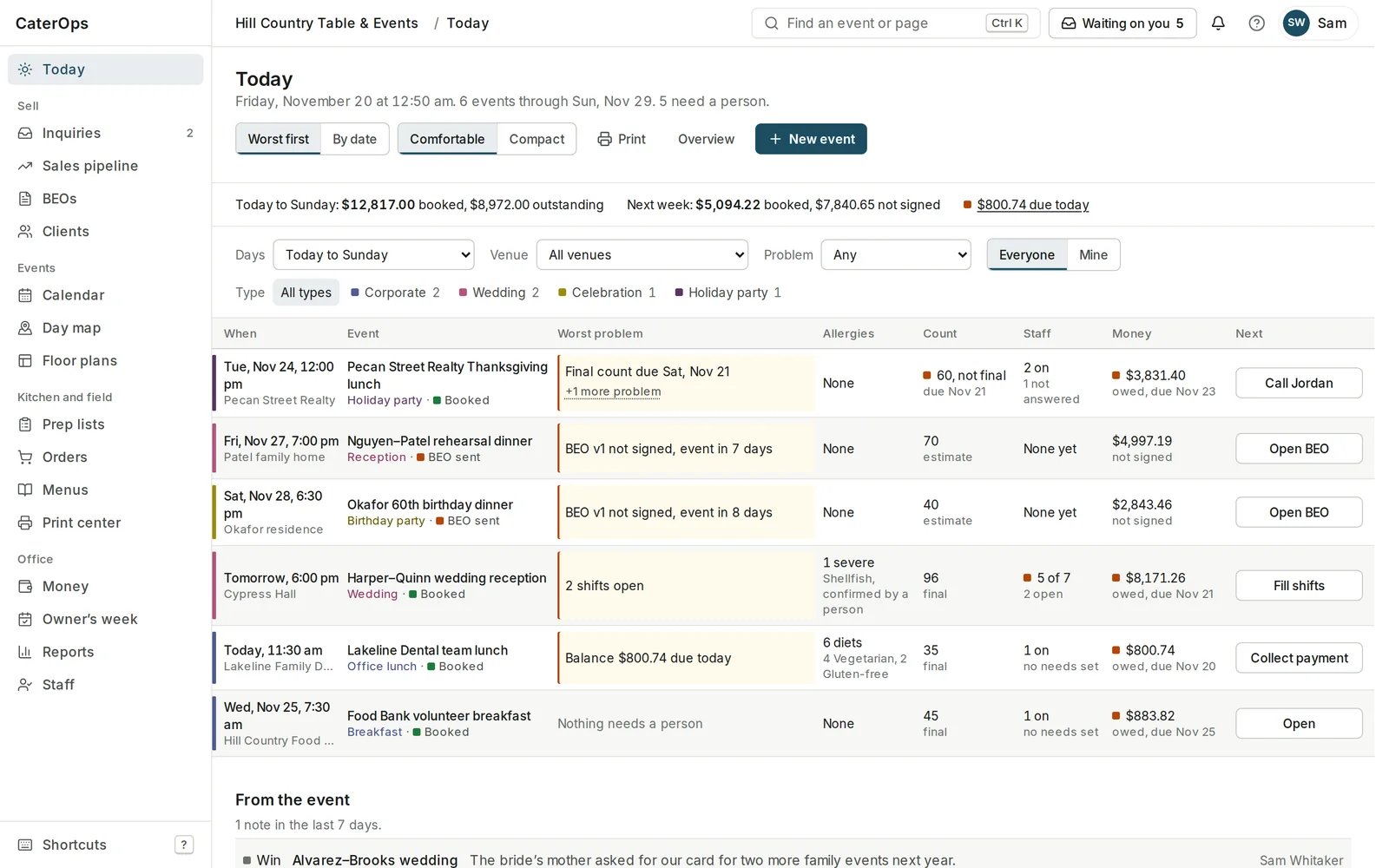
One board for the next few days: every event with its worst problem, its count, staff, allergies and money, and the one thing to do next.
- Worst problem first, or by date, for today to Sunday or the weeks ahead.
- Booked and outstanding for this week and next, and what is due today.
- One button per event for the next step: call the client, fill shifts, collect a payment.
Inquiries and pipeline
Every lead, followed up.
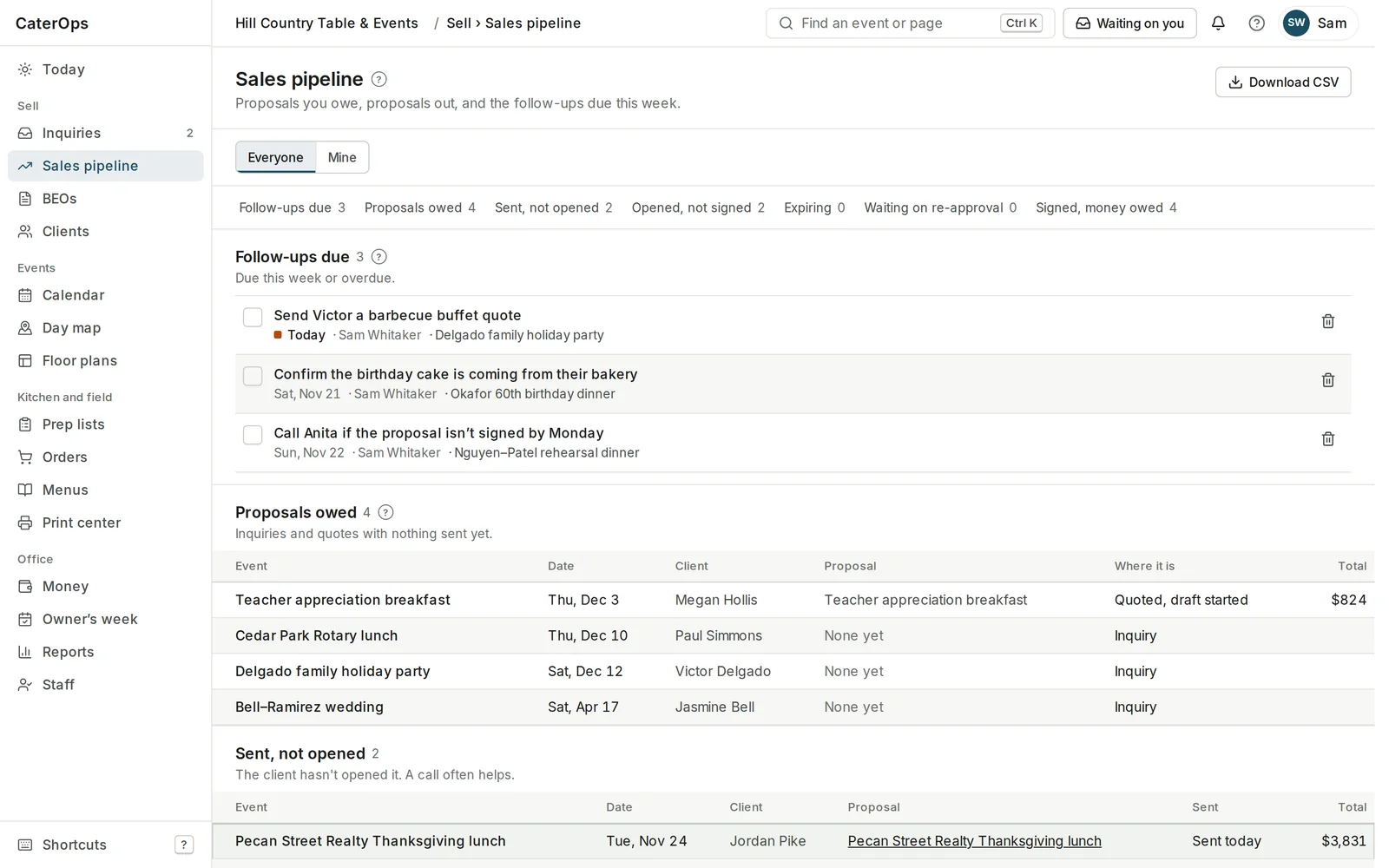
Inquiries come in from your website, your booking page or a conversation at a tasting. The pipeline shows what is owed, sent, opened and signed, and who needs a call.
- Follow-ups with a date and an owner, ticked off when done.
- Proposals owed, sent and not opened, opened and not signed, signed with money owed.
- Everyone or just mine, and a CSV when you want it.
The proposal
Build the order, the math builds itself.
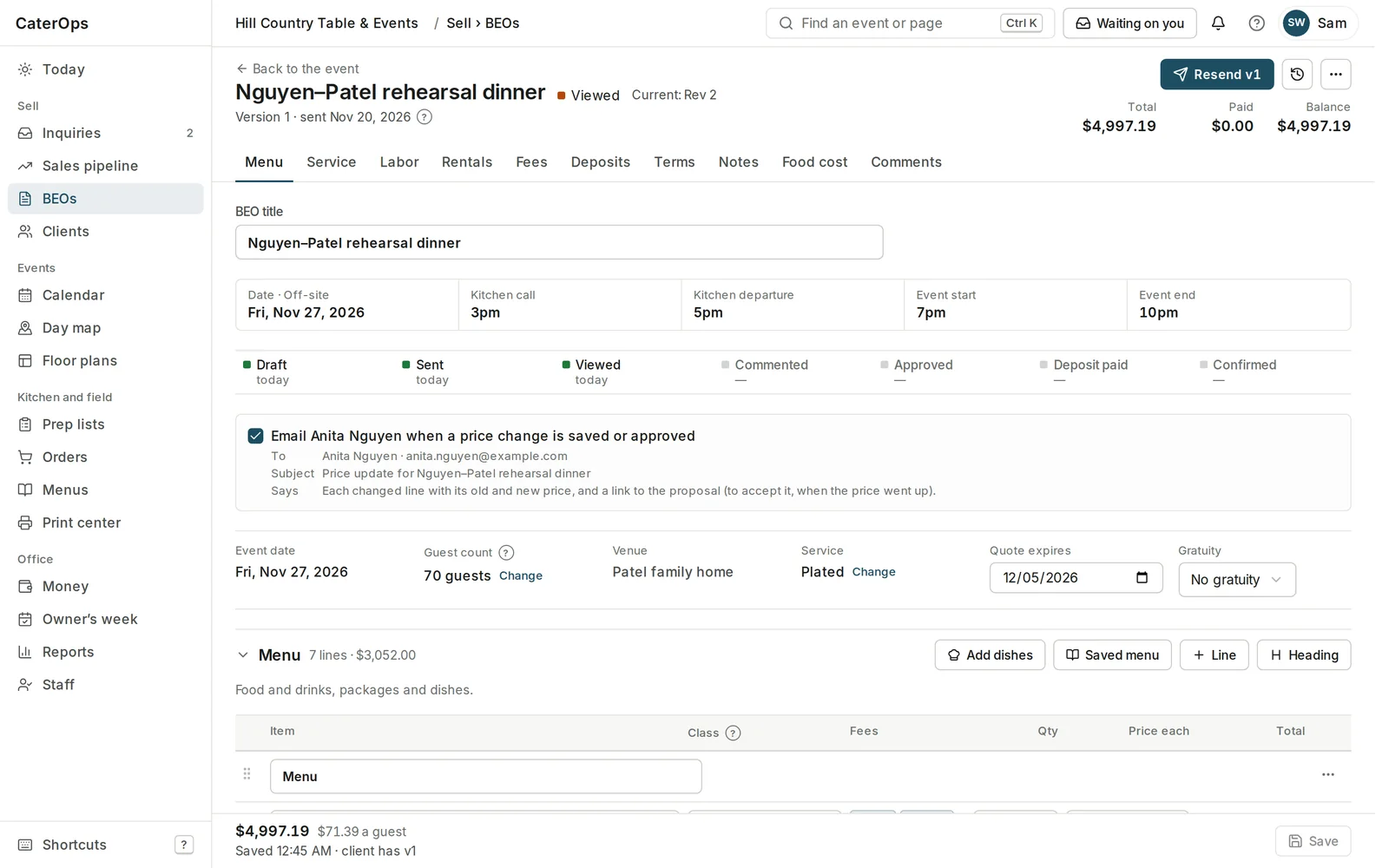
Add food, staff, rentals and fees, and CaterOps prices it as you type. Tax by class, fees, gratuity and discounts reconcile down to the price per guest.
- Food, staff and rental lines, from your menus or typed in.
- Tax by class, with admin, service and kitchen fee splits.
- Gratuity automatic, suggested or off.
- Versions and revisions kept, so you always know what the client saw.
The client
Send one link. They approve it online.
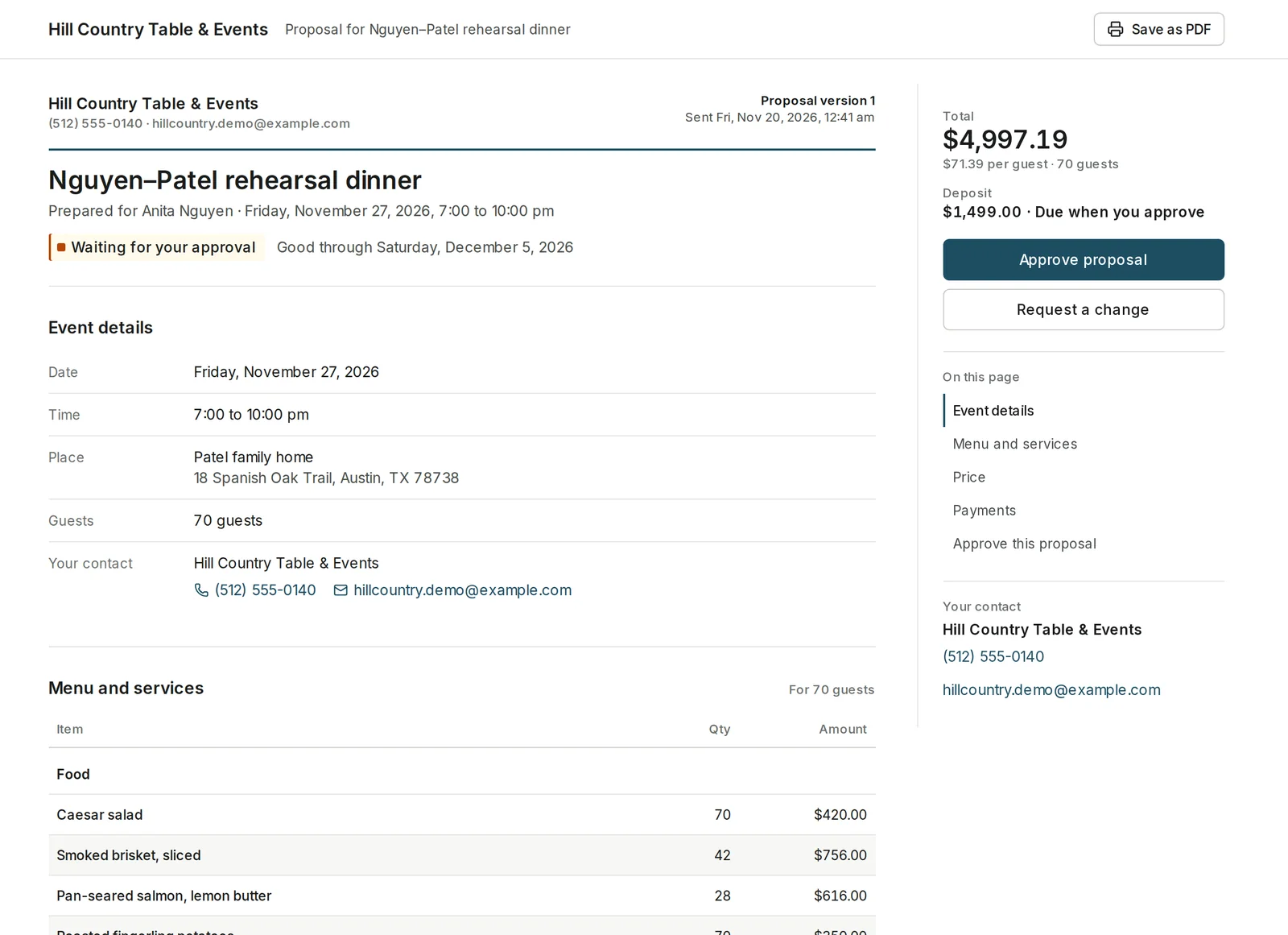
Your client reads the event details, the menu and the price, sees what is due and when, and approves or asks for a change, on a phone or a laptop.
- Approval by typed name, with the time, the version and the IP on the record.
- Approval books the event and posts the revenue.
- Sent prices stay put: a price rise waits for the client to agree.
- A planning portal for guest lists, the timeline and seating within your limits.
The event page
Everyone works from the same page.
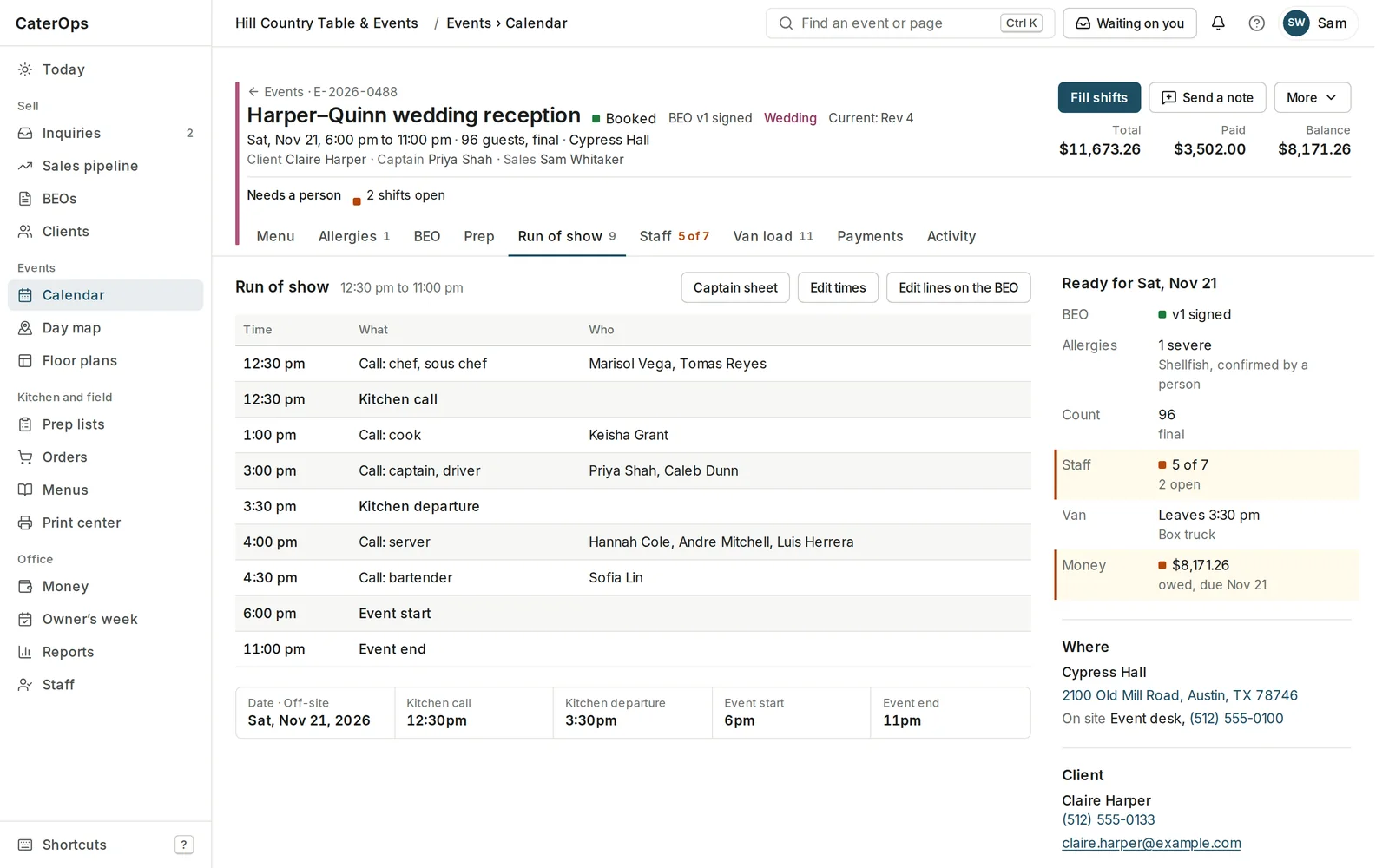
Each event has one page with tabs for the menu, allergies, the BEO, prep, the run of show, staff, the van load and payments.
- A run of show from the call times and the event’s own clock.
- Shifts from your roster, with who has answered and what is still open.
- A van load the driver ticks off, with the bring-back list.
- Allergies confirmed by a named person against the dishes on the menu.
Floor plans
Lay out the room before you load the truck.
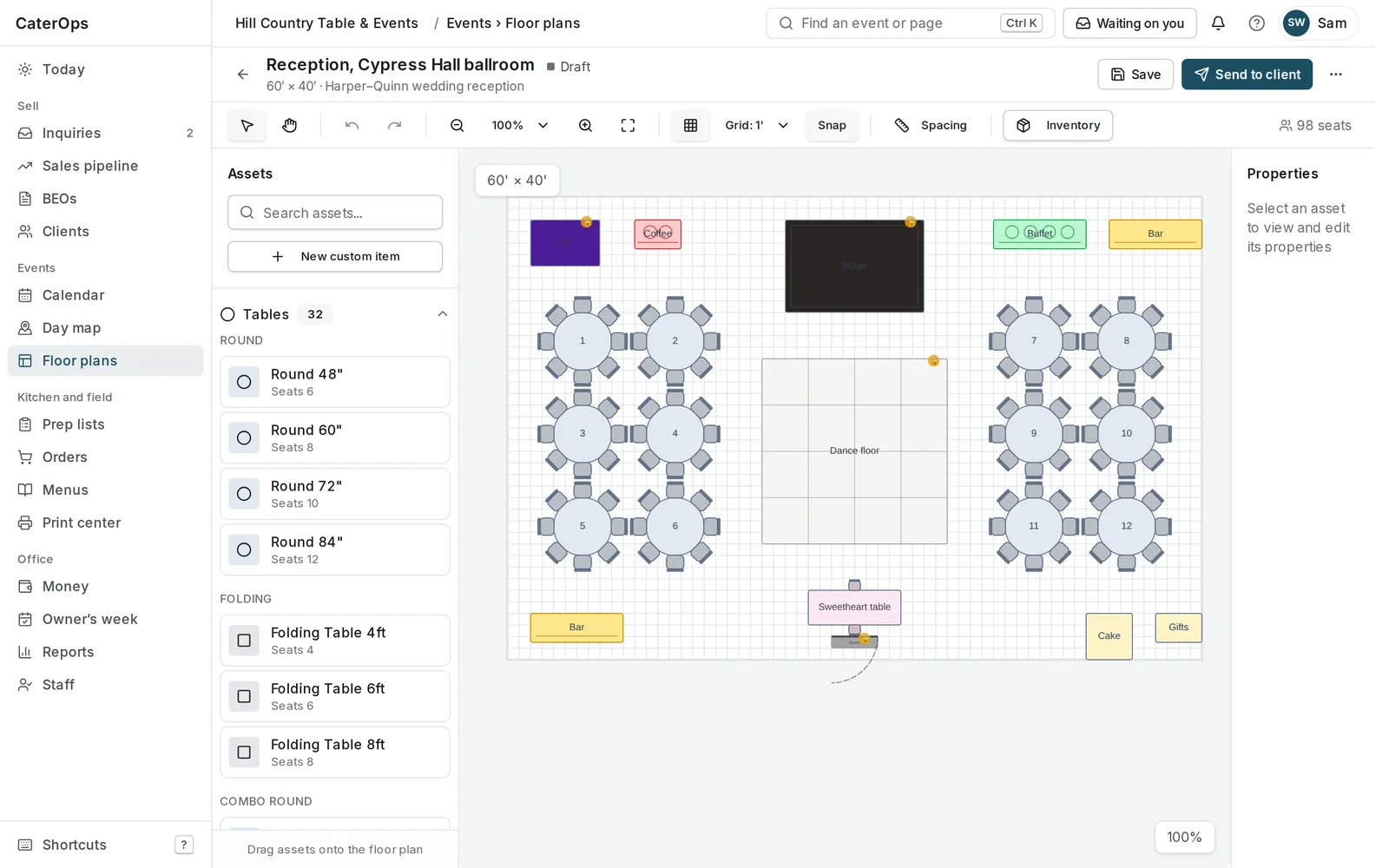
Drag tables, bars, the stage and the dance floor onto a to-scale room. Tables seat themselves from their size, so the seat count is honest.
- To scale, in feet and inches.
- Self-seating tables: chairs follow capacity.
- Reusable templates and an image for the crew.
Prep and print
The kitchen sees what was signed.
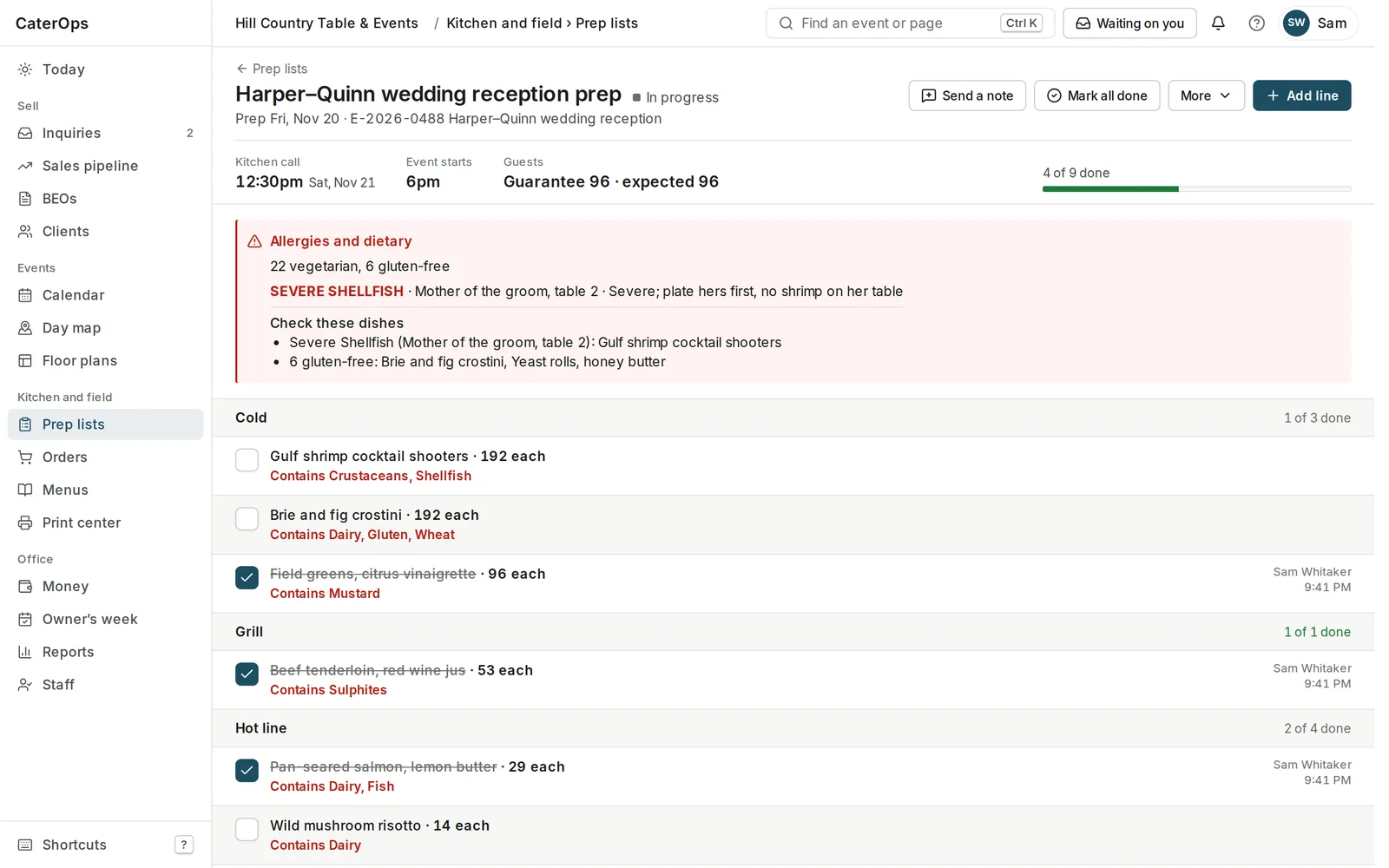
Prep lists come from the order, with the counts, the allergens on each dish and the dietary notes up top. The print center makes each team’s sheets for a day or a week.
- Prep by station, ticked off with who and when.
- Allergens on every line, and the guests they matter for.
- Print by date and status: the BEO, staff packets, kitchen packs, prep and pack-out sheets.
Money
Know what is owed and when.
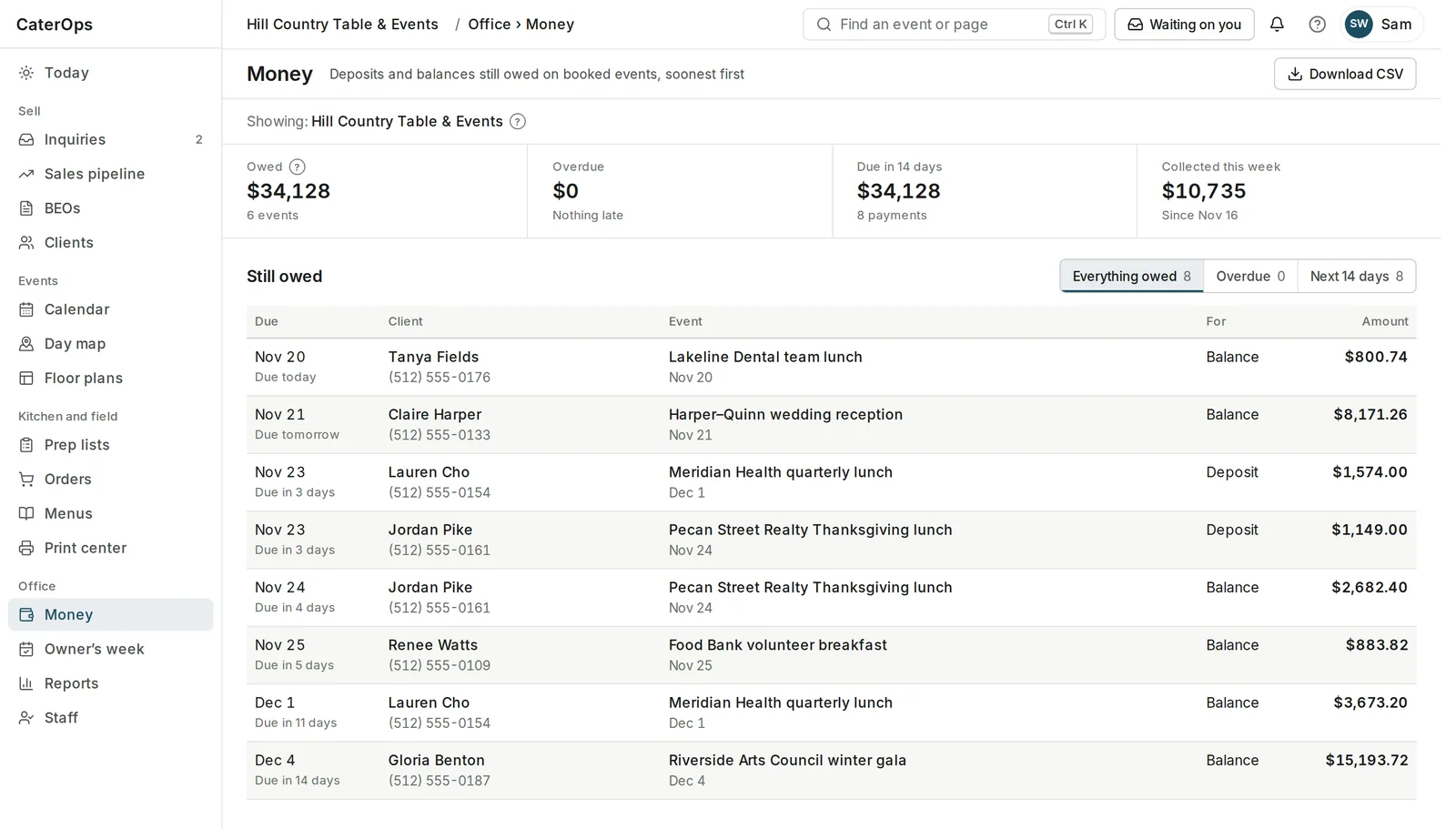
Deposits and balances on booked events, soonest first, with what is overdue, what is due in the next two weeks and what came in this week.
- Payment schedules on every proposal, shown to the client before they approve.
- Payments recorded on the event: card, check or ACH.
- The client’s number on every line, and a CSV for your books.
Run the room, not the spreadsheet.
Sign up in two minutes and bring your whole team: unlimited events, on-site or off, for $30 a month. Cancel any time.
Get startedAlready have an account? Log in